
Wear OS
Live boats and today's schedule on your Pixel Watch or other Wear OS watch, your next boat on your watch face, and a Tile one swipe away.
The watch app, complications, and Tile come with Find My Ferry Plus. Get it on your phone: open Find My Ferry, tap Settings, then Get Plus. Your watch finds it on its own with the same Google account; that can take a few minutes. Opening the watch app checks right away.
1. Get the app on your watch
- On your watch, open the Play Store.
- Search for Find My Ferry and tap Install.
Or, on your phone, open Find My Ferry in the Play Store and install it on your watch from there. The watch gets ferry times over its own connection, so it works without your phone nearby.
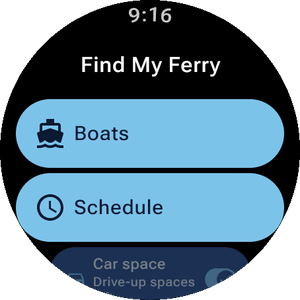
2. Boats and Schedule
The app opens on Boats and Schedule, like the tabs in the phone app. Each keeps its own route.
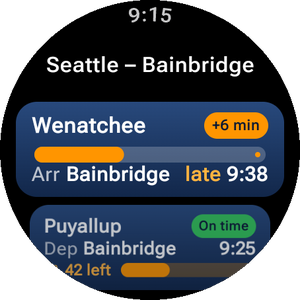
- Boats: tap a route to see its boats live, each with how far along its crossing it is and when it arrives or leaves.
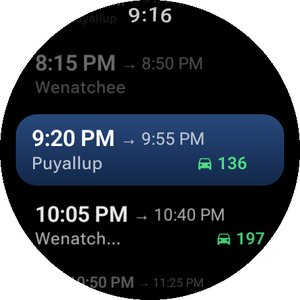
- Schedule: tap a route to see today's sailings, starting with the next one. Tap the arrows at the top to switch direction. At the end, Tomorrow shows tomorrow's sailings.
Swipe right to go back. Your last route is at the top of each list, and the app opens where you left it.
Car space
Turn on Car space on the app's home to see the drive-up car spaces left on each departure, in Boats, in Schedule, and on the Tile. It's separate from car mode on your phone.
3. Add complications to your watch face
Three complications, for different spots on the face:
- Ferry route, for wide spots: the route's alert or its most important boat.
- Ferry terminal, for small and round spots: the next arrival or departure at one terminal. The ring fills as the boat gets closer.
- Ferry cars, for the same spots: how many drive-up car spaces are left on that terminal's next sailing.
Which spots there are depends on your watch face. Many faces only have small, round ones.
- Touch and hold the watch face, then tap Edit.
- Swipe to the complications and tap a spot.
- Tap Find My Ferry, then Ferry route, Ferry terminal, or Ferry cars.
- Tap your route or terminal. For Ferry route, turn on Show car space first if you want the car spaces left on boats at the dock.
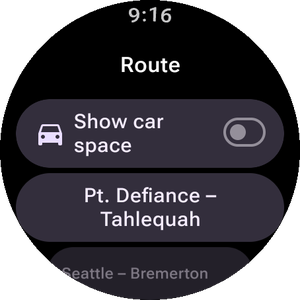
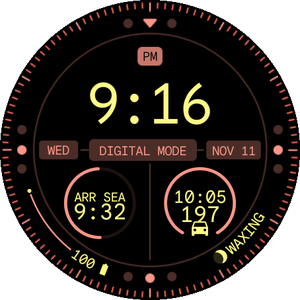
Tap Ferry route to open that route's boats in the app. Tap Ferry terminal or Ferry cars to open the schedule from that terminal.
4. Add the Tile
- From the watch face, swipe left to any Tile.
- Touch and hold it, then swipe to the end and tap +.
- Tap Ferry boats.
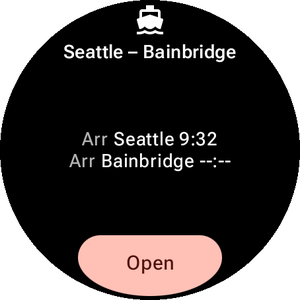
The Tile shows the route you last opened in Boats: its alert and up to three boats. Tap Open to open it in the app.
How current is it?
Complications and the Tile update about every 10 minutes, and complications move on to the next boat by themselves in between. Opening the watch app updates them right away. Times marked "~" are from the schedule, until the boat's live times are known.
Still stuck? See Support or email support@findmyferry.com.