
iPhone widgets
Your route's boats on your home screen and lock screen, in StandBy, and in CarPlay, without opening the app.
Widgets come with Find My Ferry Plus. To get it, open Find My Ferry, tap Settings, then Get Plus. Without it, the widgets say "Widgets come with Plus", and tapping one opens Get Plus.
1. Pick your route
All your widgets show the same route. Pick it in the app first.
- Open Find My Ferry and tap Settings.
- Tap Widget route.
- Tap your route, then Use this route.
To change the route later, do the same again. Every widget switches to the new route. Alerts for this route, under it in Settings, sends you alerts for the same route.


2. Car mode
Driving on? Turn on Car mode in Settings. Docked boats then show how many drive-up car spaces are left on their next sailing, in the app and in your widgets. Turn it off to see just the boats and times.
3. Add it to your home screen
- Touch and hold an empty part of your home screen until the apps jiggle.
- Tap Edit, then Add Widget.
- Search for Find My Ferry and tap it.
- Swipe to the size you want: small, medium, or large. Then tap Add Widget.
- Drag it where you want it, then tap Done.
Small and medium widgets show two boats, the large one four. If the route has more boats, tap the arrow at the bottom to see the next ones. Tap anywhere else to open the app on your route.

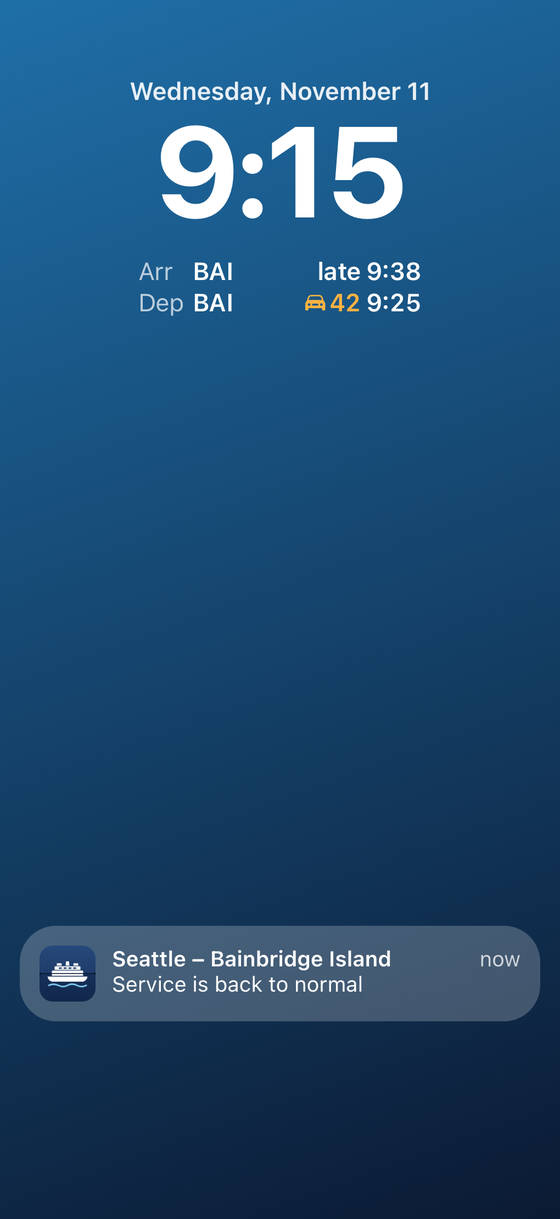
4. Add it to your lock screen
- Touch and hold the lock screen, then tap Customize and Lock Screen.
- Tap the widget area under the clock, then Find My Ferry. It fits up to three lines: the route's alert if there is one, then its boats.
- Or tap the line above the clock and pick Find My Ferry for a single line: the most important boat, or the route's alert.
- Tap Done.
5. StandBy and CarPlay
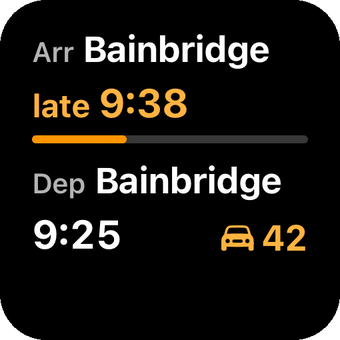
StandBy and CarPlay use the small widget. There it shows bigger times without the boats' names, easy to read from across the room or from the driver's seat.
StandBy
StandBy shows while your iPhone is charging, locked, and on its side.
- In StandBy, swipe to the widgets.
- Touch and hold a widget, then tap +.
- Tap Find My Ferry, then Add Widget, then Done.
CarPlay
With iOS 26 or later, and while you're not driving:
- On your iPhone, open Settings and tap General, then CarPlay, then your car.
- Tap Widgets, then Add Widgets.
- Pick Find My Ferry.
How current is it?
Widgets ask for new times every 5 minutes, but your iPhone decides when they update, often every 15 minutes or more. Opening Find My Ferry updates them right away. When what a widget shows may be old, it says when it's from, like "as of 9:40".
Still stuck? See Support or email support@findmyferry.com.